
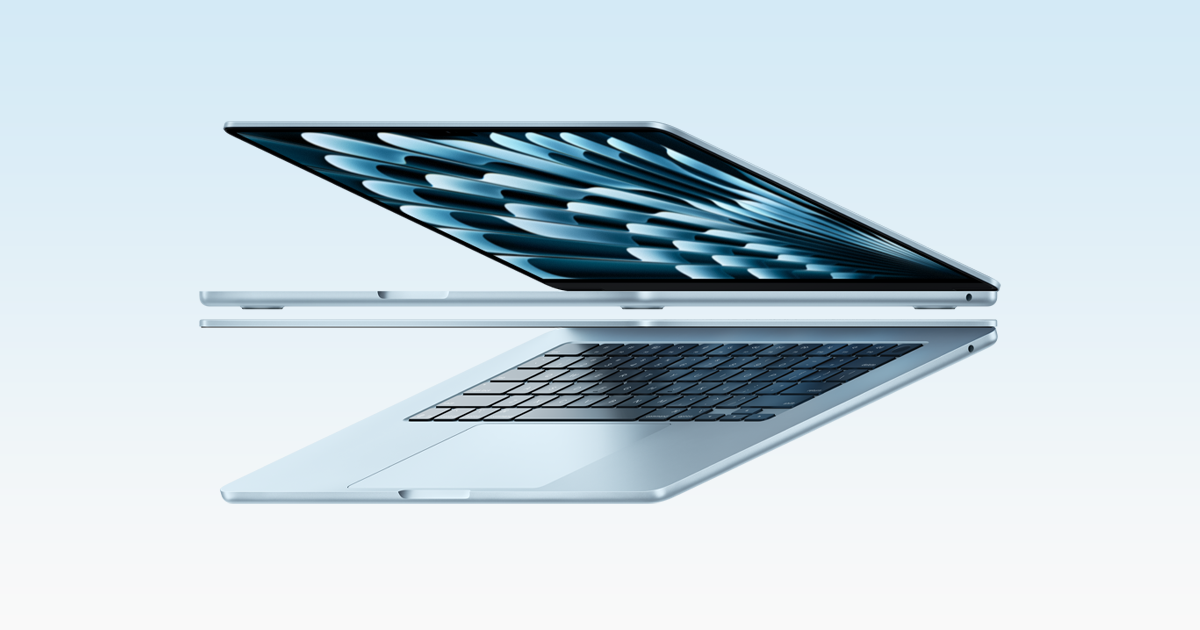
If you’re deciding between a MacBook Air and a MacBook Pro for everyday use, the practical answer is: buy the MacBook Air unless you have a specific “Pro” need—like frequent video work, sustained coding builds, lots of external displays, or you rely on built-in ports (HDMI/SD) every week. The current MacBook Air (13- or 15-inch) is fast, silent (fanless), and has strong battery life for web, Office/Google Docs, Zoom, light photo editing, and casual creative apps. The MacBook Pro is the better choice when your work stays heavy for long stretches: it offers more sustained performance, a higher-end Liquid Retina XDR display with ProMotion, more ports, and longer rated battery life on paper. For most everyday buyers, the Air is the better value—and the Pro is a premium upgrade you should justify with your workflow.
Quick recommendation (pick in 30 seconds)
- Buy MacBook Air if you want the best value for school, office work, home use, travel, and general “do-everything” Mac tasks—and you’re fine with USB‑C/Thunderbolt ports and a 60Hz display.
- Buy MacBook Pro if you regularly push your laptop hard for long sessions (creative exports, big projects, VMs, heavy code builds), want the best laptop screen Apple sells, or you need HDMI/SD card built in.
MacBook Air vs. MacBook Pro: what’s actually different for everyday buyers
Most shopping confusion comes from performance anxiety: people worry the Air will feel “less than.” In reality, the everyday experience—opening apps, running lots of browser tabs, video calls, writing, spreadsheets, streaming—often feels similar on both. The meaningful differences show up in four areas: sustained performance, display, ports/external displays, and battery targets.
Side-by-side comparison (the everyday decision table)
| What matters | MacBook Air (13/15) | MacBook Pro (14/16) | Who should care |
|---|---|---|---|
| Portability | Thinner, lighter feel; built for daily carry | Heavier; still portable but more “bag commitment” | Commute, travel, campus life |
| Noise & heat | Fanless = silent | Active cooling helps under long loads | Quiet rooms, libraries, long exports |
| Display quality | Liquid Retina, 500 nits, 60Hz | Liquid Retina XDR with ProMotion up to 120Hz; far brighter in HDR | Creators, HDR video, long screen time |
| Ports | 2× Thunderbolt 4 (USB‑C) + MagSafe + headphone jack | HDMI + SDXC + multiple Thunderbolt + MagSafe + headphone jack (varies by chip) | Photographers, presenters, docking minimalists |
| External displays | Supports up to two external displays (plus built-in) | From two up to four external displays depending on chip | Desk setups, trading dashboards, creators |
| Battery (Apple-rated) | Up to 18 hours video streaming; up to 15 hours wireless web | Up to 24 hours video streaming; up to 16 hours wireless web (14-inch) | All-day away from outlets |
When the MacBook Air is enough (most people)
The Air is the default recommendation for everyday buyers because it nails the three things people feel daily: portability, silence, and real-world speed for common apps.
- School & office work: Safari/Chrome tabs, Word/Pages, Excel/Numbers, PDF markup, Slack/Teams, Zoom/FaceTime—no drama.
- Home and personal use: streaming, photos, email, light organization, basic creative projects, casual gaming.
- Travel-friendly: the Air’s fanless design stays quiet on planes and in hotels, and it’s a simpler machine to live with.
On specs alone, the Air’s limitations are mostly about connectivity and sustained heavy workloads: it has two Thunderbolt 4 (USB‑C) ports (plus MagSafe) rather than the Pro’s more expansive port selection. For many buyers, that’s solved with one decent USB‑C hub.
When the MacBook Pro earns its price
The Pro is worth paying for when your laptop is a work tool that regularly lives at the edge of what it can do.
- You do sustained creative work: frequent video editing/exports, motion graphics, large photo batches, audio sessions with heavy plugin chains.
- You run demanding multitasking: big Xcode projects, Docker/containers, local databases, multiple pro apps open all day.
- You care about the best screen: the Pro’s Liquid Retina XDR with ProMotion is a tangible upgrade if you stare at the display for hours, edit media, or want smoother scrolling and better HDR.
- You want built-in ports: HDMI and SDXC are still the difference between “plug in immediately” and “where’s my dongle?” for many workflows.
- You need more external displays: if your desk setup is central to how you work, the Pro offers higher ceilings depending on configuration.
The “Pro tax” most everyday buyers don’t benefit from
Here’s what commonly drives people toward the Pro—and when it doesn’t matter:
- “I want it to last longer.” Longevity is more about buying sensible memory/storage and keeping the machine in good shape than it is about picking Pro. For everyday workloads, an Air configured appropriately can stay satisfying for years.
- “I might edit video someday.” Occasional edits and hobby projects are still Air-friendly. Pay for Pro when you already know you’ll export often—or you’re paid for the work.
- “Bigger number = better.” The Pro’s advantage is most obvious under sustained loads and in display/ports—not in day-to-day note-taking and browsing.
How to choose the right model (practical checklist)
- Count your ports. If you routinely plug in HDMI or SD cards, the Pro is the cleanest solution.
- Decide on external monitors now. One or two displays? Air can work. More than that? Pro is the safer bet.
- Be honest about heavy workloads. If you regularly see “Exporting… 45 minutes,” the Pro’s cooling and headroom are worth it.
- Pick screen size based on your day. 13-inch is the carry-everywhere option. 15-inch Air is the sweet spot for people who want more space without going Pro. 14/16-inch Pro is for people who want the premium screen and pro ergonomics.
Direct verdict: what we recommend for everyday buyers
For most people, the MacBook Air is the correct buy. It’s the better everyday laptop because it delivers the performance people actually use, in a lighter, silent design, at a lower price point—without forcing you into a “pro workflow” to justify it.
Choose a MacBook Pro only if you can point to a real need: sustained creative exports, heavy developer workflows, a multi-display desk, or a strong preference for the Liquid Retina XDR + ProMotion display and built-in HDMI/SDXC. If that’s you, the Pro isn’t overkill—it’s the right tool.
Related reading: Best Mac for Students, Creators, and Everyday Buyers, MacBook battery and ownership context, Useful MacBook Pro context.