
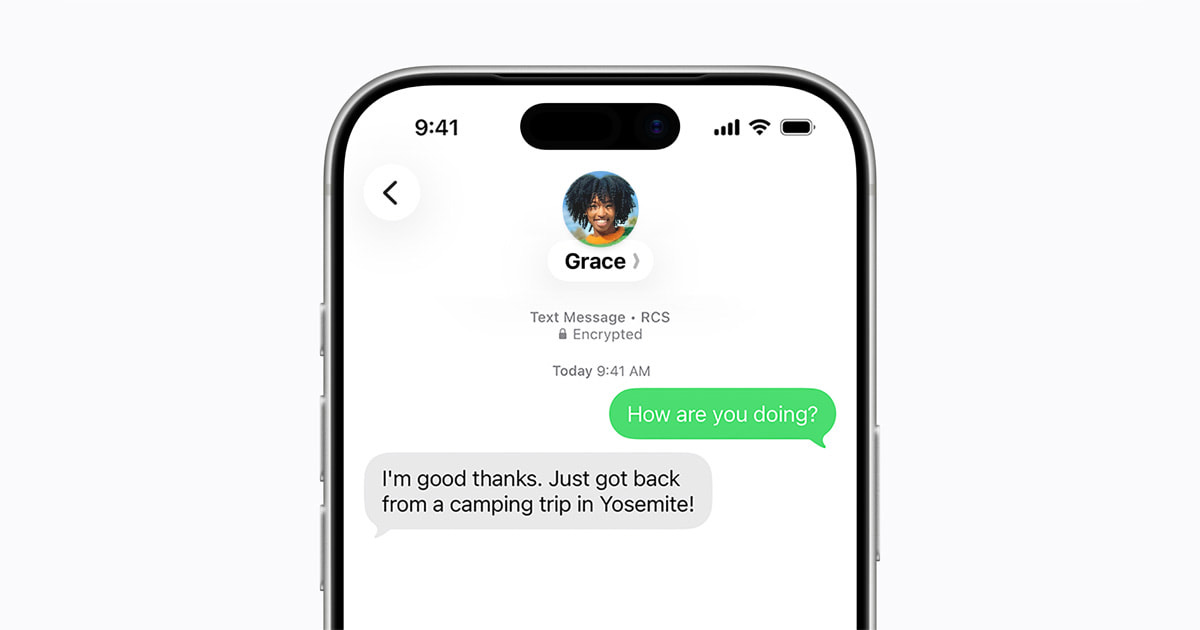
If your main question is “Should I install iOS 26.5 right now for better iPhone to Android texting,” the practical answer is yes. iOS 26.5 is a security-heavy update, and it also starts rolling out end-to-end encrypted RCS messaging in beta. That means some iPhone to Android conversations can finally get iMessage-like privacy protections. The tradeoff is that this feature depends on carrier support and the other person’s setup, so you can update today and still not see encrypted RCS working in every thread.
My take is simple. Install iOS 26.5 for the security fixes. Treat encrypted RCS as a bonus that will improve over the next few weeks, not as a switch that flips instantly for everyone.
What actually changed, and why it matters
Apple is now rolling out end-to-end encrypted RCS messaging in beta for iPhone users on iOS 26.5 with supported carriers. This is not just another “green bubble” quality of life tweak. It is a real privacy upgrade for cross-platform texting, where messages can be protected so that only the sender and recipient can read them, rather than relying on older SMS style transport.
In buyer terms, this is one of those updates that makes your existing iPhone feel more future-proof. It closes a long-standing privacy gap for households and workplaces where iPhones and Android phones mix. If you are the person in the family who gets all the “can you send that again, I missed it” texts because the group chat is split across platforms, more reliable RCS with strong encryption is the path toward fewer compromises.
The hidden tradeoff, it is “in beta” for a reason
Apple is being unusually explicit that encrypted RCS is rolling out in beta. That wording is your clue that the experience can vary. RCS itself is a standard, but features often hinge on carrier implementation and the messaging app on the Android side. Translation, you can do everything right, update to iOS 26.5, enable RCS, and still see uneven results depending on who you text and what networks are involved.
So if your personal goal is “I need my Android texting experience to be perfect by tonight,” do not update with that expectation. Update because security updates are time-sensitive, and because platform-level messaging improvements tend to stabilize only after carriers and apps catch up.
Who should update today
If you use your iPhone for work, travel, or any situation where message privacy matters, update. If you message Android users daily, update. If you are the default tech support person in your family, update so you can evaluate whether your carrier is actually delivering encrypted RCS yet.
Who can wait a few days
If you are about to leave town, depend on a specific app that has broken for you after past iOS updates, or you run critical medical or business workflows on your phone, it is reasonable to wait a few days for early bug reports. You are not missing a must-have feature that will reliably transform your messaging experience overnight.
How to set expectations after installing
After you update, check that RCS is enabled in Messages settings, then test with a known Android contact who uses Google Messages on a current version. If encryption does not appear to be active, that does not automatically mean your phone is misconfigured. It often means the beta rollout, carrier support, or the other endpoint is not ready yet.
Verdict
Install iOS 26.5 for the security fixes, and because encrypted RCS is the direction cross-platform texting should have taken years ago. Just do not buy the idea that updating guarantees instant iMessage-level security for every Android conversation. It is a meaningful improvement, but it is still rolling out, and it will feel uneven until carriers and apps fully catch up.
Related reading: Best iPhone for Camera Buyers, iPhone 16 vs. iPhone 16 Pro, Should some buyers skip the iPhone 16 Pro?.